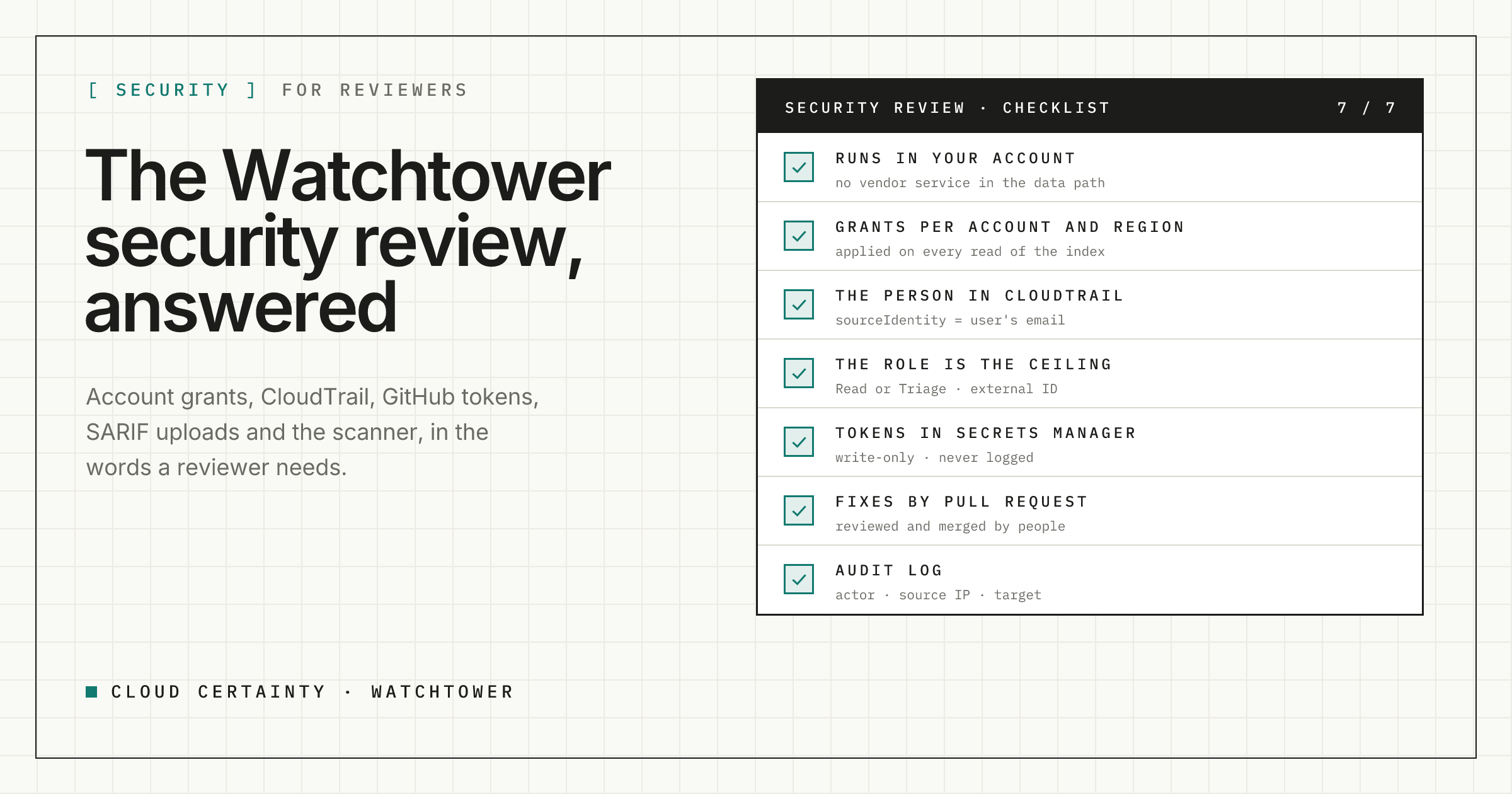
A tool that reads every security finding in your organisation, can change their status, and can open pull requests on your infrastructure code deserves a careful review. This post answers the questions reviewers ask about Cloud Certainty Watchtower, in the order they usually come up, with what the product does and what is left to you.
Where does it run, and does our data leave the account?
Watchtower is one CloudFormation stack in your own AWS account: an API and a sync worker on AWS Lambda, a web app on AWS Amplify Hosting, Amazon Cognito for sign-in, DynamoDB for its state and a private S3 bucket for its index. Cloud Certainty runs no service in the data path, and there is no telemetry.
At runtime the stack talks to AWS, to the GitHub or SonarCloud you choose to connect, and, if you leave update checks on, to our public release file once a day. At install and upgrade it pulls its code from the AWS Marketplace image, verifies every file against a checksum and copies it to a private bucket in your account.
What can it change in AWS?
Findings, not infrastructure. The roles Watchtower assumes in your accounts have read access to Security Hub and Organizations account names, plus, only if you choose the Triage level, securityhub:BatchUpdateFindings, which changes a finding's workflow status, note or severity. The roles have no IAM, CloudFormation, DynamoDB or S3 permissions in the accounts they read, and an explicit deny on Watchtower's own buckets.
Changes to resources only ever happen as pull requests in your repositories, which a person reviews and merges through your usual pipeline.
How do you stop people seeing findings from accounts they shouldn't?
This is the question that matters most, and it has an honest answer: Security Hub has no permissions per member account. A session that can call GetFindings in the delegated administrator account can read the findings of every account.
So Watchtower enforces account and Region grants itself, on every read. Admins grant people and groups view, triage or fix on account patterns and Regions. Every search, count, overview and finding detail is computed only from the accounts and Regions the person is granted. A finding outside them answers "not found". Tests cover each route with a user granted one account.
AWS still enforces what each session can do. People without the triage permission get a session policy that cannot call BatchUpdateFindings, and a connection set to Read has a role that can't either, so a change is refused by AWS even if Watchtower's own check had a bug.
Will we know who did what?
Yes, in two places. Every Security Hub call is made with a 15-minute session whose source identity is the user's email, which can't be changed during the session, so CloudTrail in the administrator account names the person. Notes written to Security Hub carry the same email.
Watchtower's own audit log records admin changes, triage, tasks, exceptions, integrations, fix pull requests, scans and uploads, with the actor, source IP and target, kept for 30 days to ten years depending on the plan.
How are GitHub and SonarCloud tokens handled?
Tokens and GitHub App private keys are write-only. They are stored in AWS Secrets Manager in your account, encrypted with your key when you give one, readable only by Watchtower's API, sync worker and scanner roles, and never returned, logged or written to the audit log. GitHub App installation tokens last an hour at most.
We recommend a GitHub App installed on your infrastructure repositories only, with read access to contents, plus write access to contents and pull requests only if you want fix pull requests.
Isn't the SARIF upload route a way in?
It is the only route without a Cognito token, so it is deliberately narrow. It needs an ingest token created by an admin, shown once, stored only as a hash, scoped to repositories and given an expiry. The route is throttled and size-limited, and uploaded results only add information: they change nothing in AWS or GitHub.
What about the Trivy scanner running untrusted code?
Trivy reads files, it doesn't execute them. Each scan is a short-lived Fargate task that downloads the repository archive, refuses absolute paths, .., links and devices, caps file count and size, scans, writes its results and is thrown away. Its role can read integration secrets and write scan results, nothing else, and its security group only allows outbound HTTPS.
How do people sign in?
Through Amazon Cognito with IAM Identity Center, or your own SAML or OIDC provider on Team and above. An email is trusted only when the user can't choose it, and the first administrator is bound to an immutable identity at first sign-in. An IP allowlist is available on Business and above.
What is left to us?
- Protect the first administrator with MFA, and give the admin role to a second person.
- Keep connections at
Readunless your team triages in Watchtower, and granttriageto the people who own each account. - Scope GitHub access to the infrastructure repositories, and protect default branches so Watchtower's pull requests need review.
- Review exceptions when they expire, and keep their maximum length short.
- Rotate ingest tokens and scope each to one repository.
- Forward CloudTrail and Watchtower's logs to your SIEM.
A malicious administrator of your AWS account, the security of your GitHub organisation and your identity provider are outside what Watchtower can control.
Next steps
Watchtower is in early access ahead of its AWS Marketplace launch. Read more at cloudcertainty.com/watchtower (opens in a new tab), or send your security questionnaire to [email protected] and we will answer it.