AWS Security Hub does the hard part well. It collects findings from Security Hub's own controls, Amazon GuardDuty, Amazon Inspector, Amazon Macie, IAM Access Analyzer and partner tools, across every account and Region of your organisation, into one place. Then you open the console, and the work gets hard again.
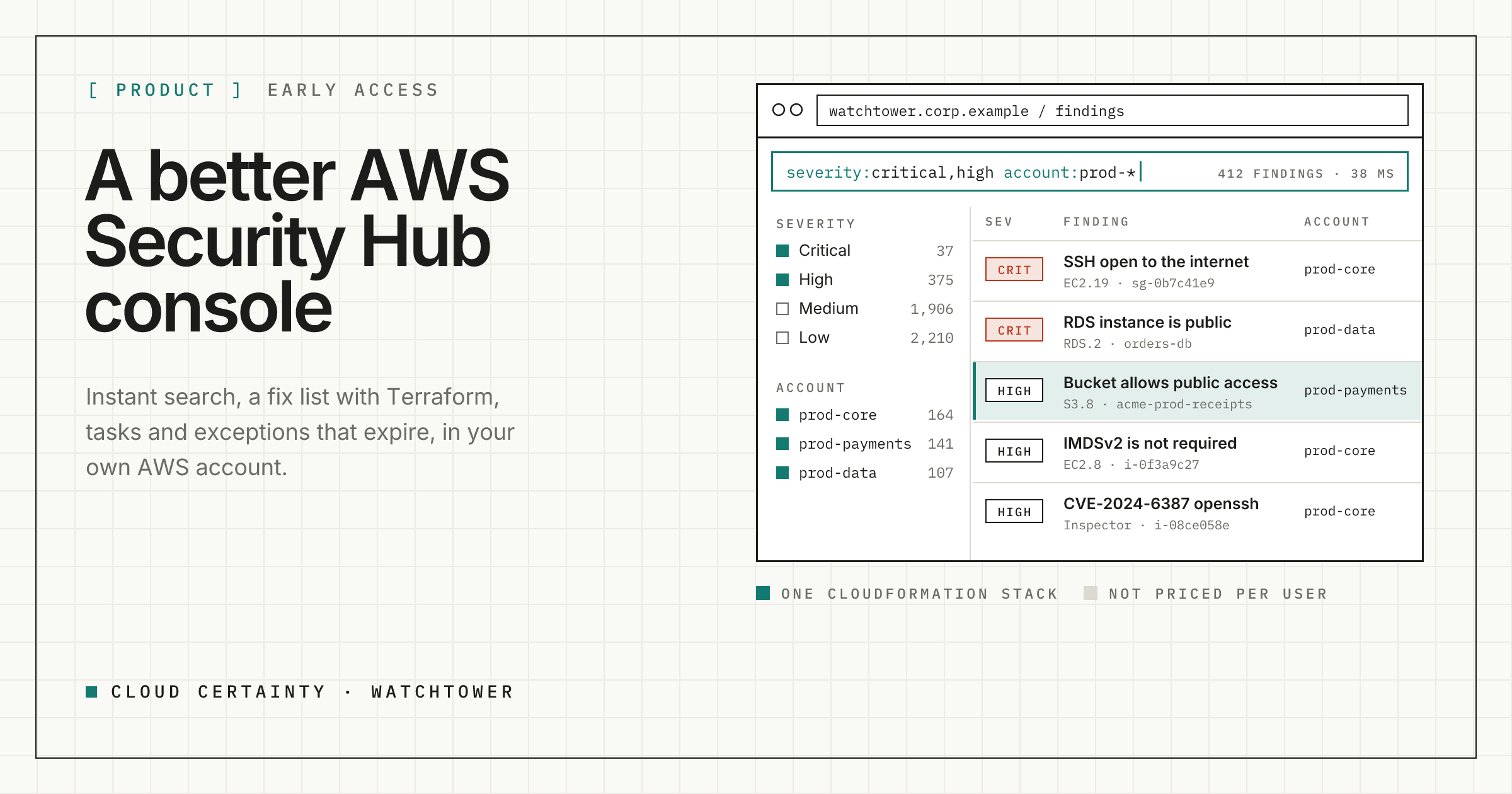
Cloud Certainty Watchtower is a console for Security Hub that runs in your own AWS account. It reads the same findings and gives your team instant search, a list of fixes instead of a list of rows, tasks with deadlines, exceptions that expire, and a link from each finding to the Terraform or CloudFormation that created the resource.
What gets in the way today
If you have triaged findings in the Security Hub console, these will be familiar:
- Filtering one field at a time. There is no free text search, no count per value and no quick way to say "not this account". Finding "every critical finding in production that nobody has looked at" takes several minutes and can't be shared as a link.
- Slow paging. Results arrive a page at a time and every change goes back to the API, so working through a backlog of thousands is tedious.
- The same fix, hundreds of times. A control that fails on 400 buckets is 400 rows. Nobody can see the list of things to fix.
- Remediation as a link. Engineers still have to work out the Terraform change themselves.
- No work tracking. Workflow status is the only state, so findings get copied into tickets by hand and the link back is lost.
- Suppressions forever. An accepted risk is suppressed once and never reviewed again.
What Watchtower does instead
Search that keeps up. Watchtower keeps its own index of your findings, refreshed every few minutes, so searching, filtering and sorting take milliseconds. Type severity:critical,high account:prod-* -workflow:suppressed "public access" and every filter shows how many findings each value has. Group by control, account or resource type, save the view, share the link, and set status or add a note on hundreds of findings at once. Changes are written back to Security Hub.
A fix list. Findings are grouped into issues by what fixes them, usually the control, and ranked by risk. Fifty buckets without Block Public Access become one issue. Each common control has a remediation guide written for engineers: why it matters, the console steps, the AWS CLI command, and Terraform and CloudFormation you can copy.
Tasks and SLAs. Turn findings, or a whole issue, into a task with an owner and a due date taken from your SLA for that severity. Watchtower counts progress from the findings themselves, so a task shows "8 of 12 fixed" without anyone updating it, and can close itself when the last one passes.
Exceptions that expire. Accepted risks get a reason, a scope and an expiry date. Watchtower suppresses the matching findings, in Security Hub too when you allow it, and brings them back when the exception ends.
Code to cloud. Connect GitHub and Watchtower maps each finding to the block of Terraform or CloudFormation that defines the resource. For common controls it previews a patch and opens a pull request for your team to review. Built-in Trivy scans, SonarCloud and SARIF uploads from your CI are mapped to the same Security Hub controls, so the same problem shows up once, from code to cloud.
An overview worth opening. Open findings by severity, new and closed per day, how long fixes take, ageing, overdue SLAs, accounts ranked by risk and pass rates per standard.
How it runs
Watchtower is one CloudFormation stack in your AWS account: a serverless API, a sync worker, a web app and Amazon Cognito sign-in through IAM Identity Center, SAML or OIDC. You connect the Security Hub delegated administrator account, normally with its aggregation Region, and Watchtower sees the findings of every member account through it.
- Nothing leaves your account. No telemetry, no Cloud Certainty service in the data path. The only outside calls are to the GitHub or SonarCloud you configure, and an optional daily check for new releases.
- Grants per account and Region. Admins give people and groups view, triage or fix on account and Region patterns, so each team sees its own findings.
- CloudTrail names the person. Every Security Hub call is made with a short-lived session that carries the user's email as its source identity.
- It changes findings, not infrastructure. Watchtower can set workflow status, notes and severity. Fixes to resources only ever happen through a pull request a person reviews and merges.
Plans and early access
Watchtower is in early access ahead of its AWS Marketplace launch. It will be sold like our other products, on monthly or 12-month contracts that aren't priced per user or per finding, from $100 a month. You can read more at cloudcertainty.com/watchtower (opens in a new tab).
If you run Security Hub across more than a handful of accounts and would like to try it, email [email protected] with a line about your setup and we will get you started.