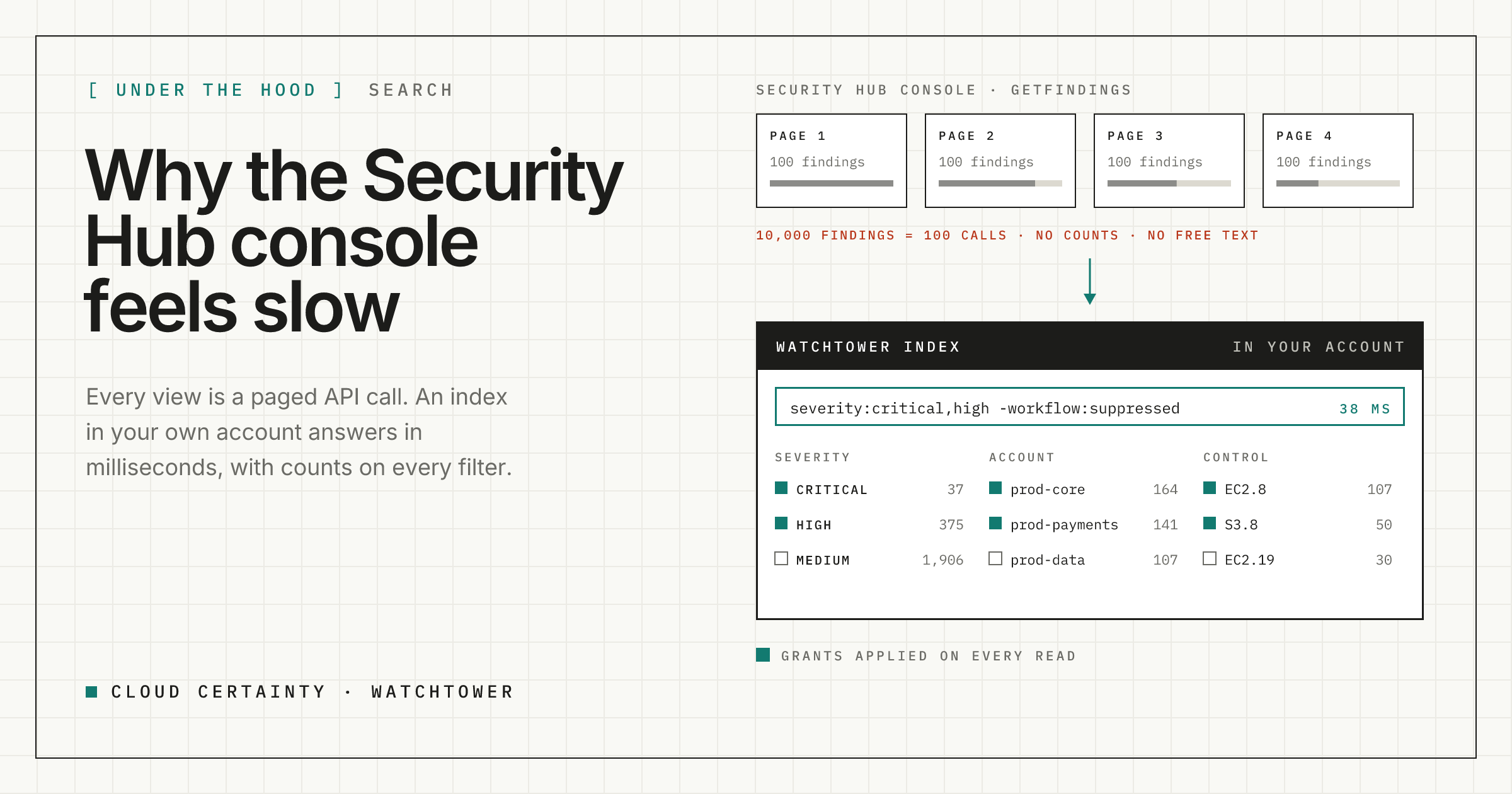
Most of the friction in the Security Hub console comes from one design choice: every view is a live call to the GetFindings API. That keeps the console simple, but it puts a ceiling on what the screen can do. This post looks at where the ceiling comes from, and how Cloud Certainty Watchtower gets around it with its own index, without giving up live detail or AWS-enforced access.
Why every view feels the same speed
GetFindings returns at most 100 findings per call, in pages, and Security Hub limits how many calls per second an account may make. Its filter is a structured object: a list of values per field, with comparisons such as equals, prefix and date ranges. That shapes the console:
- No free text. There is no "search everything for this word". You pick a field, then a value.
- No counts. To know how many critical findings each account has, you would have to page through all of them, so the console doesn't show it.
- Every change is a round trip. Change a filter or the sort, and the console goes back to the API and starts paging again.
- Large backlogs are slow by definition. Ten thousand findings is a hundred calls before you have seen them all.
None of this is a bug. It's what you get when the screen is a thin layer over a paged API.
Keep an index, read details live
Watchtower splits the work in two.
A sync worker keeps an index. Every few minutes a Lambda function in your account reads the findings that changed since its last run, sorted by UpdatedAt, and once a day it reads the full set to catch anything that disappeared. Each finding is cut down to a compact record of about 600 bytes: severity, workflow and compliance, account and Region, the resource, the control, dates, CVEs, tags and the latest note. The records go into one compressed file per source in a private S3 bucket in your account.
With Security Hub's cross-Region aggregation in the delegated administrator account, one source covers every member account and Region. Passed control checks, which are the large majority of findings, are counted into a small posture file rather than stored one by one, so the index stays small enough to search in memory.
The API searches in memory. The API Lambda keeps recently used index files in memory and checks them against the object's ETag every 15 seconds. Search, filters, counts, grouping, the fix list and the overview are computed from memory. In our tests a search with a dozen filter counts over 100,000 findings takes around a tenth of a second.
Details stay live. When you open a finding, Watchtower reads its full record and its history from Security Hub there and then, with your own session. You always see the current state, and CloudTrail shows who looked.
Writes go to Security Hub. Workflow, notes and severity are written with BatchUpdateFindings. A short-lived overlay shows the change straight away, and the next incremental sync makes it permanent.
What that buys you on screen
A query language. Type the search the way you would say it:
severity:critical,high account:prod-* -workflow:suppressed "public access" age>30Fields take lists of values, a leading - excludes, quotes keep phrases together, and ranges work on age, score and dates. Account patterns match the account id or its name. Everything else is free text across titles, descriptions, resource ids, CVEs, tags and notes.
Counts on every filter. Each filter shows how many findings each value has, counted over every other filter you have chosen. Selecting HIGH still shows how many CRITICAL findings there are, so you can move around the data without losing your bearings.
Grouping, sorting and saved views. Sort on any column, group by control, account, resource type, product or Region, and save the result as a view for yourself or your team. The whole search lives in the URL, so a link in a chat opens exactly what you saw.
Bulk triage. Select a few hundred findings, set them to NOTIFIED with a note, and Watchtower sends the update to Security Hub in batches of 100.
Doesn't an index weaken access control?
It would, if everyone read the whole index. Security Hub has no permissions per member account: a session that can call GetFindings in the delegated administrator account can read every account's findings. So Watchtower applies your grants on every read. Each person's searches, counts and overviews are computed only from the accounts and Regions they are granted, and a finding outside them simply doesn't exist for them.
AWS still enforces what each session can do. A person without the triage permission gets a session policy without BatchUpdateFindings, and a connection you set to read-only has a role without it, so the change is refused by AWS even if Watchtower got something wrong.
Try it
Watchtower is in early access ahead of its AWS Marketplace launch. Read more at cloudcertainty.com/watchtower (opens in a new tab), or email [email protected] to try it in your organisation.