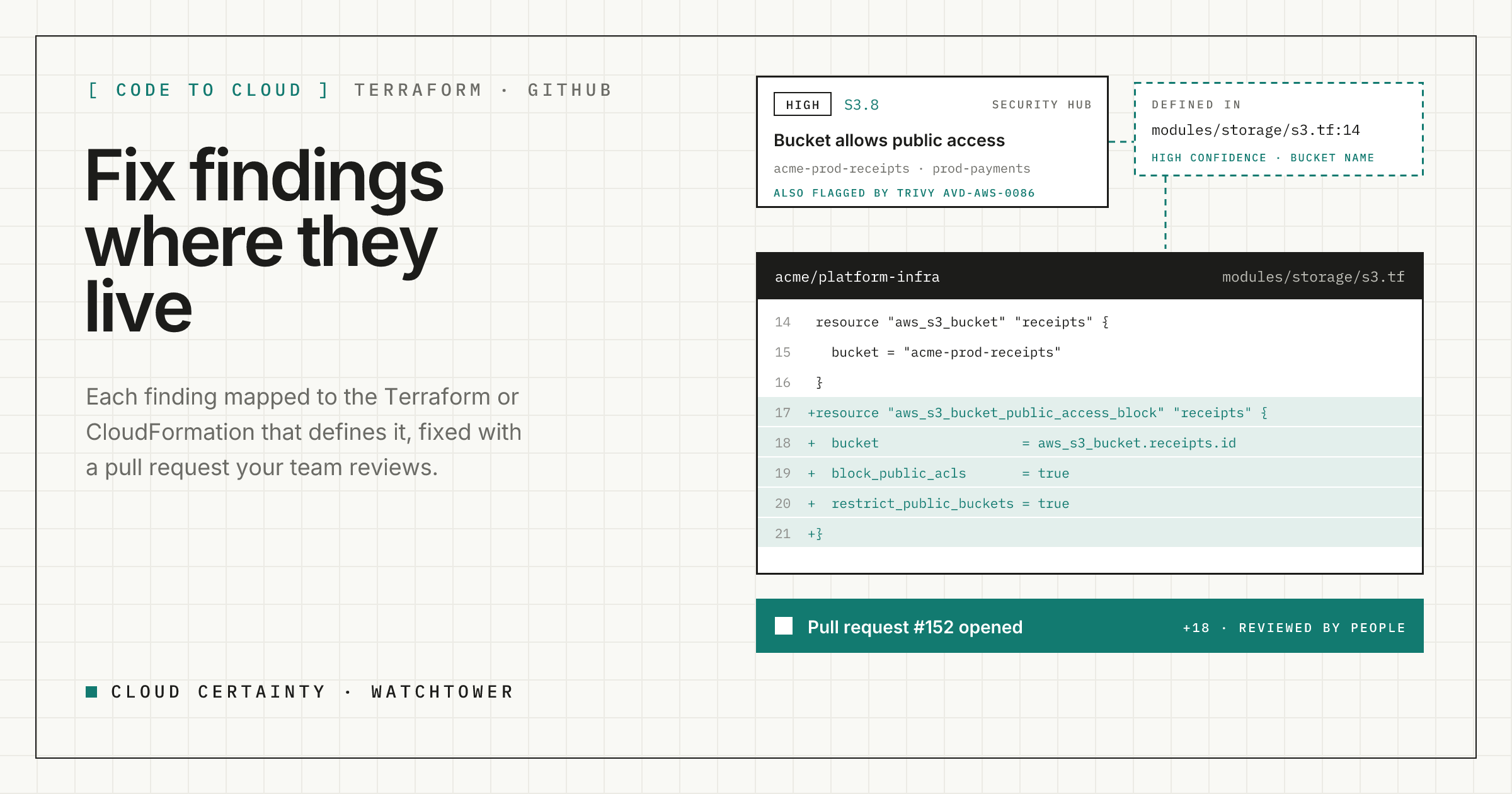
If your infrastructure is built with Terraform or CloudFormation, fixing a Security Hub finding in the AWS console is a trap. You turn on Block Public Access, the finding passes, and the next terraform apply turns it off again, because the code never changed. The fix belongs in the repository, reviewed like any other change.
Cloud Certainty Watchtower closes that gap. It maps each finding to the block of code that defines the resource, proposes the change for common controls, opens a pull request, and brings your code scanners' findings into the same picture.
Mapping a finding to its code
Watchtower reads your GitHub repositories, or GitHub Enterprise Server, through a GitHub App or a fine-grained token. It indexes every Terraform file and CloudFormation template at the head of the branch you choose, and records each resource with its file, line numbers, type, physical names and tags. It doesn't keep the files, only that index.
To connect a finding to that index, it tries four rules, most reliable first:
- Source tags. If you tag resources with where they come from, for example with Bridgecrew's
yor(git_repo,git_file), the match is exact. - CloudFormation logical ids. Resources created by CloudFormation carry the
aws:cloudformation:stack-nameandaws:cloudformation:logical-idtags. Watchtower matches the logical id in your templates, narrowed by stack mappings when one template is deployed as several stacks. - Physical names. A bucket called
acme-prod-receiptsmatchesbucket = "acme-prod-receipts". Interpolations such as"acme-${var.env}-receipts"count as wildcards, so the same module deployed per environment still matches, with medium confidence. - Same type in the right repository. If a repository is marked as deploying an account, and has only a few resources of the finding's type, Watchtower shows them as possible matches, with low confidence.
Every match carries its confidence and the reason, and links to the exact lines on GitHub. Only high and medium matches count as "mapped", so filters and counts stay trustworthy. If you want exact matches everywhere, adding yor tags is the quickest route.
A pull request instead of a console change
For about fifteen controls with simple, safe fixes, Watchtower can write the change for you, in Terraform and in CloudFormation YAML. Examples:
S3.8: add anaws_s3_bucket_public_access_blocknext to the bucket, orPublicAccessBlockConfigurationunder its properties.S3.14: addaws_s3_bucket_versioningwith versioning enabled.RDS.8: setdeletion_protection = true.KMS.4: setenable_key_rotation = true.ECR.1andECR.2: scan images on push and make tags immutable.EC2.8: require IMDSv2 withmetadata_options { http_tokens = "required" }.
The fix edits the file's text in place. It never reformats the rest of the file, so the diff is only the change. You see the unified diff first, then Watchtower creates a branch, commits each file and opens a pull request that lists the controls and findings it fixes, linked to the task. Your normal review and pipeline decide what happens next: Watchtower never merges or applies anything.
Two honest caveats. A few fixes, such as encrypting an RDS instance or an EBS volume, replace the resource, and the guide explains the safe migration. And because the edit doesn't realign neighbouring lines, run terraform fmt if your pipeline checks formatting.
Scanners and Security Hub, in one place
Shift-left scanners find the same misconfigurations before they deploy, but they live in a different tool, and often reach a different team. Watchtower brings three kinds in:
- Trivy, built in. Watchtower runs Trivy as a short-lived Fargate task in your account for each indexed repository, daily by default or on demand: IaC misconfigurations, secrets and, when its database can be fetched, vulnerable dependencies.
- SonarCloud and SonarQube. Open vulnerabilities, bugs and security hotspots of each mapped project.
- SARIF from any CI. Checkov, tfsec, KICS, Semgrep or anything that writes SARIF can post results with an ingest token scoped to the repository:
gzip -c results.sarif > results.sarif.gz
curl --fail-with-body -X POST \
  "$WATCHTOWER_INGEST_URL?repo=$GITHUB_REPOSITORY&commit=$GITHUB_SHA" \
  -H "Authorization: Bearer $WATCHTOWER_INGEST_TOKEN" \
  -H "Content-Type: application/json" \
  -H "Content-Encoding: gzip" \
  --data-binary @results.sarif.gz
Scanner rules are mapped to Security Hub controls: Trivy AVD-AWS-0086 and Checkov CKV_AWS_53 both mean S3.8. So the S3.8 finding on your bucket shows "also flagged by Trivy in infra/s3.tf", and the fix list shows which problems your CI already knows about before they reach production.
Try it
Watchtower is in early access ahead of its AWS Marketplace launch. Read more at cloudcertainty.com/watchtower (opens in a new tab), or email [email protected] to try it in your organisation.