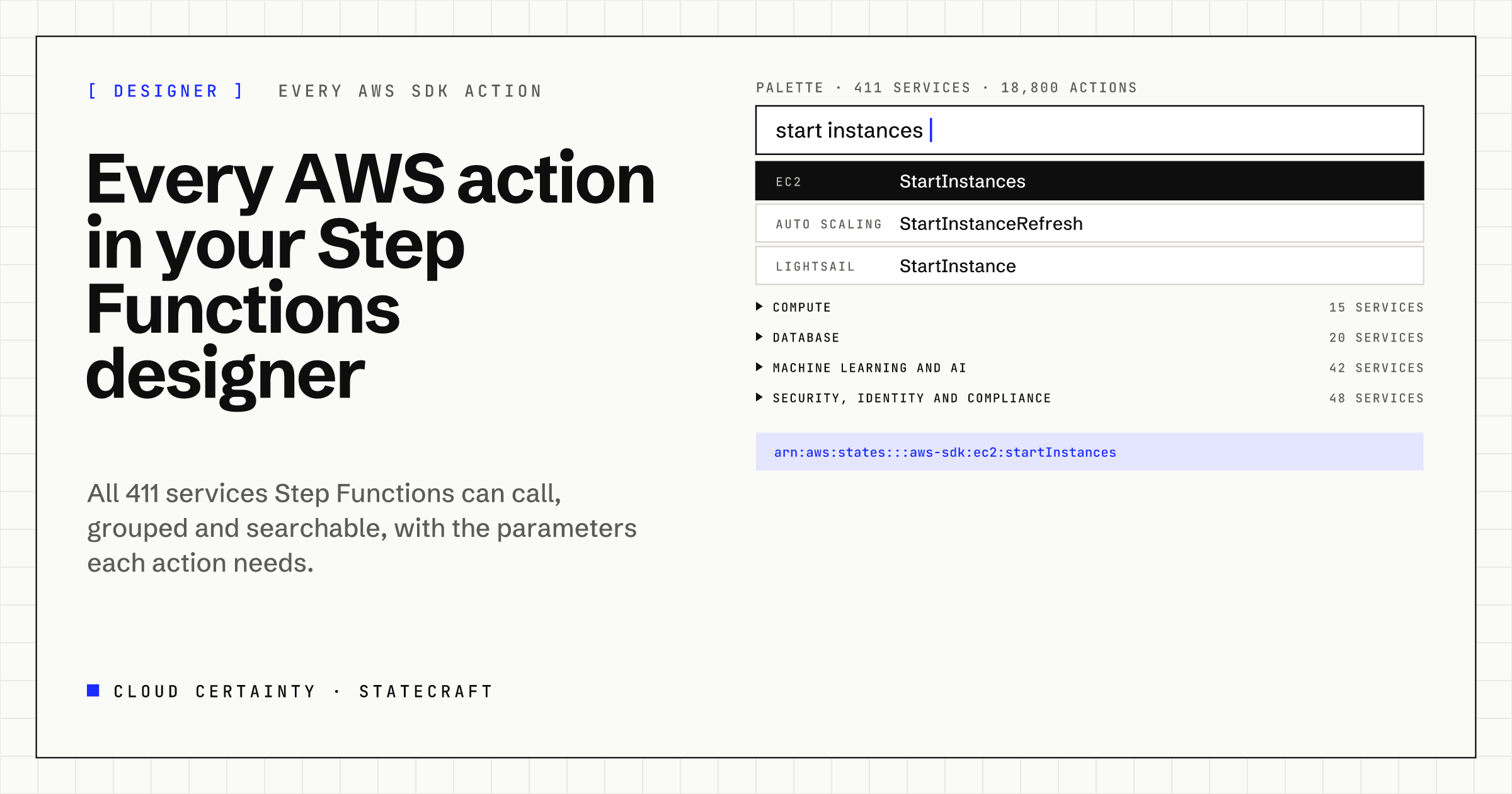
Step Functions can call almost any AWS API directly. Its AWS SDK integrations take the form arn:aws:states:::aws-sdk:<service>:<action>, and they reach hundreds of services: start EC2 instances, query DynamoDB, publish to EventBridge, start a SageMaker job, without a Lambda function in between.
Most editors don't show you that. They offer a short list of popular integrations, and for everything else you type the service and action name yourself, guess the parameters, and find out from a failed execution that the role was missing a permission.
StateCraft's designer offers all of them.
The whole catalogue, grouped
The palette lists 411 services and about 18,800 actions: every service Step Functions supports for SDK integrations, with every action its AWS SDK model defines. They are grouped the way AWS groups its services, 24 categories from Analytics to Storage, then by service, then by action, with a count at each level.
At the top sit the states you use most: Choice, Parallel, Map, Wait and the rest, then Step Functions' optimised integrations, such as Lambda Invoke, ECS RunTask, Glue StartJobRun and Athena StartQueryExecution, each with the patterns it supports: request and response, wait for the job to finish (.sync), or wait for a callback (.waitForTaskToken). Your favourites and recently used actions sit above them all.
Search across everything
Type "start instances" and the palette searches every action of every service at once: EC2 StartInstances first, then Auto Scaling StartInstanceRefresh, Lightsail StartInstance and the rest, grouped by service. Arrow keys move through the results, Enter inserts one, and you can drag a result onto any "+" between two states.
The same catalogue answers voice and typed commands. "Add a task that calls EC2 start instances" or "call DynamoDB describe table" resolves to the right integration, and when an optimised integration exists, StateCraft prefers it.
Tasks that are ready to edit
Inserting an action builds a complete Task state, not just a resource name:
- The resource ARN, with the pattern suffix when you pick one.
- The required parameters from the API's model, filled from the state's input, for example
{% $states.input.TableName %}in JSONata workflows, or the matching.$paths in JSONPath ones, so the state validates straight away. - A sensible retrier for throttling and server errors, using Step Functions' error names for SDK calls, such as
DynamoDb.ThrottlingException. Where an API's model lists no such errors, StateCraft adds no retrier rather than guess one.
The inspector's resource picker uses the same catalogue: search a service, then an action, choose a pattern from those that integration supports, read what the action does, and add any required parameters that are missing with one click. Each action links to its API reference.
Only what Step Functions can call
A complete list is only useful if it is correct. The catalogue is generated from two sources: the AWS SDK's own service models, which define every action and its parameters, and the Step Functions documentation of supported services and unsupported operations. Operations Step Functions can't call through an SDK integration, mostly streaming ones such as S3 SelectObjectContent or Bedrock Runtime's ConverseStream, are left out, and StateCraft can say why when someone asks for one.
Step Functions names services in its ARNs after the SDK client, lower case and without spaces, which mostly but not always matches the name people use. The catalogue handles those cases, so the ARN it writes is the ARN Step Functions expects.
The permissions, worked out
Every task needs its execution role to allow the call. StateCraft's IAM policy generator reads the workflow and writes the policy: for SDK integrations it uses each service's real IAM prefix, which doesn't always match its name, and the action's IAM name; for optimised integrations, the extra permissions their patterns need, for example the EventBridge rules a .sync integration uses to learn that the job finished. Placeholders mark resources whose ARNs only exist at run time.
Export the workflow to CloudFormation, SAM, the CDK or Terraform with the definition in place, and deploy it from StateCraft or from your pipeline.
Try it
StateCraft is in early access. Read the user guide (opens in a new tab), see the StateCraft page (opens in a new tab), or email [email protected] to join the early access programme.