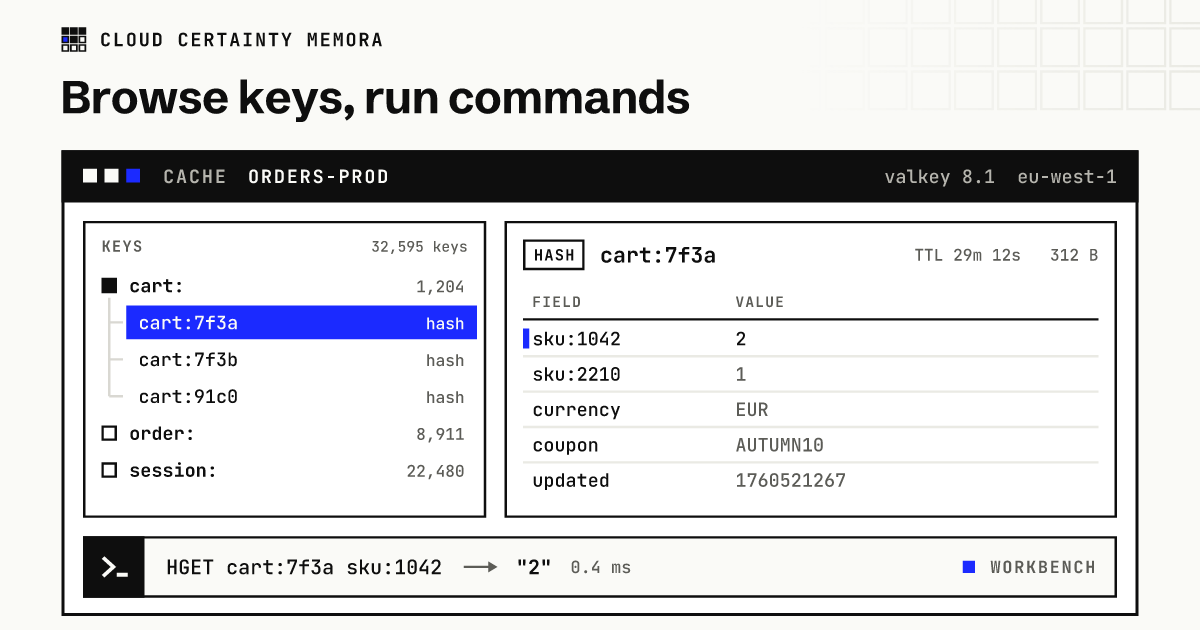
Every team that runs Amazon ElastiCache eventually needs to look inside a cache. Why is this session still here? What is in this cart? Which keys are filling memory? The usual answer is a data browser such as Redis Insight, or one of the desktop apps, installed by whoever needs it.
That works for one developer and a local Redis. On ElastiCache, for a team, the same tool brings a set of problems with it.
What goes wrong at team scale
Everyone needs a network path. ElastiCache endpoints have no public addresses. Each person needs a VPN, a bastion host or an SSH tunnel into the right VPC, in the right account and Region.
Everyone needs the password. Data browsers connect with an AUTH token or a username and password. The token ends up in a password manager shared by the team, and rotating it means telling everyone.
Everyone gets everything. A connection in a browser is all or nothing. The person who only needed to read one customer's cart can also run FLUSHALL on production. Redis Insight, for example, has no user accounts or roles of its own: whoever can reach it has every connection in it.
Nobody knows who did what. When a key disappears, the cache's own logs show the shared user, not the person.
IAM authentication is out of reach. ElastiCache supports IAM authentication for Valkey 7.2 and Redis OSS 7.0 and later, which removes passwords entirely. Most browsers can't sign a token; for Redis Insight it is an open feature request.
What a team needs instead
- Sign-in with the identity provider you already use, and nothing to install.
- No passwords to share: IAM authentication where the engine supports it, secrets that people never see where it doesn't.
- Access per person or group: which caches, and what they may do on them.
- Optionally, which keys: support can touch
cart:*but notpayment:*. - Guard rails around commands that block or empty a production cache.
- A record of every command and every change, under the person's name.
How Memora does it
Cloud Certainty Memora runs in your own AWS account. People sign in through IAM Identity Center, SAML or OIDC in a browser. A small connector, a pair of Lambda functions in the VPC of your caches, is the only thing that talks to them, so nobody needs a VPN or a tunnel.
No shared passwords. Memora can create two ElastiCache users with IAM authentication, memora-read and memora-write, and add them to the cache's user group. The connector signs a fresh 15-minute token for each connection. For older engines, it reads Secrets Manager secrets that only its own role can open.
Grants per person, three times enforced. Administrators grant view, read, write, operate or manage on cache name patterns, per account and Region, optionally limited to key patterns. A write by someone without write is refused by Memora. It is refused by IAM, because their session can only invoke the read function. And it is refused by the cache, because the read function signs in as memora-read, whose access string only allows read commands.
A browser and a workbench. The key browser scans with SCAN, never KEYS, and shows keys as a tree by prefix with type, TTL and size. It edits strings, JSON, hashes, lists, sets, sorted sets and streams. The workbench has redis-cli syntax with autocomplete and help for every command, and shows results as text, a table or JSON. Scripts can be saved, versioned and shared.
Guard rails. Commands that block or hold connections (MONITOR, BLPOP, SUBSCRIBE) and commands ElastiCache restricts (CONFIG, DEBUG, SHUTDOWN) never run. KEYS needs the cache's name typed to confirm. FLUSHDB and FLUSHALL stay off unless an administrator turns them on, and then need access to every key and the name typed.
A record of everything. Each AWS call carries the person's email as its source identity in CloudTrail. Memora keeps a command history per person and an audit log of every data change, with command names and keys but never values.
What it doesn't do
Memora is not a desktop tool for a local Redis on your laptop; keep your favourite one for that. It is for the shared caches in your AWS accounts, where who can do what matters.
Memora is in early access: cloudcertainty.com/memora (opens in a new tab).