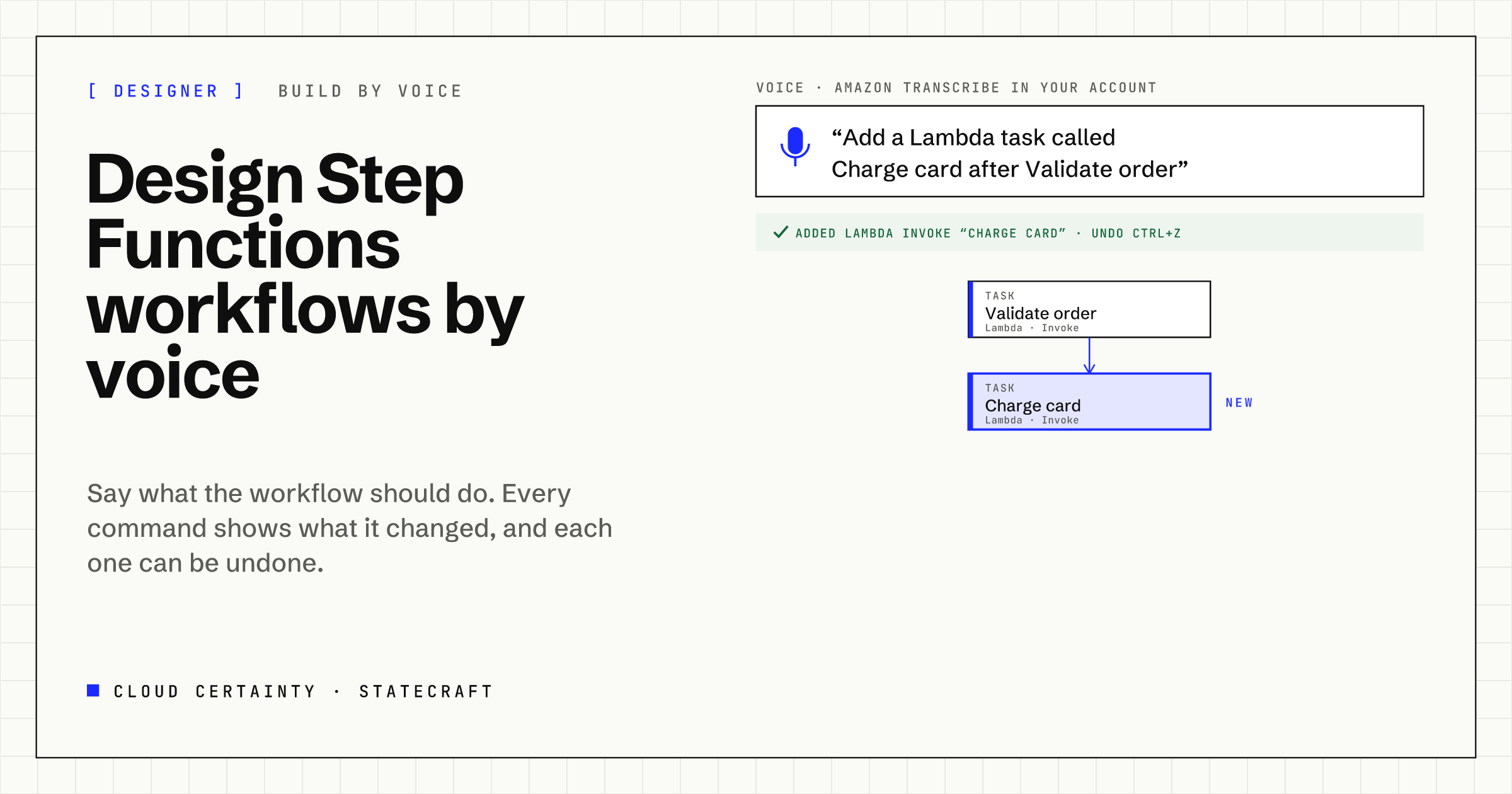
Most of the time it takes to build a Step Functions workflow goes on the plumbing, not the logic. You know what you want: validate the order, charge the card, retry if the payment provider is busy, send big orders for review. Then you spend twenty minutes dragging boxes, finding the right integration, and getting the JSON for a Choice rule right.
StateCraft's designer lets you say it instead. Press Voice, speak a command, and the workflow changes in front of you. The same commands can be typed, so nothing depends on a microphone.
What it sounds like
A new workflow, three commands:
- "Add a Lambda task called Validate order."
- "If amount is greater than 100, go to Manual review, otherwise go to Approve."
- "Retry Validate order 3 times with backoff."
The first adds a Lambda Invoke task with its function name and payload filled in. The second adds a Choice state with a rule, in JSONata {% $states.input.amount > 100 %} or as a JSONPath comparison, depending on the workflow's query language, and creates placeholder states for both branches. The third adds a retrier with three attempts, a backoff rate of 2 and jitter.
Each command appears in a log with exactly what it changed, the graph and the code update together, and every change can be undone with Ctrl+Z.
What it understands
The commands are parsed by a grammar in the browser, not by a model, so the same words always do the same thing. It covers:
- States: add a task, choice, parallel, map, wait, pass, succeed or fail state, before or after another one, or between two.
- Services: "a Lambda function", "DynamoDB put item", "send an SNS message", "start a Glue job and wait". It resolves any of the AWS SDK actions Step Functions can call, so "call EC2 start instances" works too.
- Flow: connect, rename, delete, end, "for each item in order items run ...", wrap states in a Parallel, set concurrency and failure tolerance.
- Error handling: retries with attempts, interval and backoff, catchers for all errors or specific ones, timeouts and heartbeats.
- The rest: validate, test this state, save, deploy, explain the workflow, switch views, zoom.
It tolerates the way people speak: filler words, numbers said as words, and state names that are only roughly right are matched to the ones in your workflow. Navigation works everywhere in the app: "open order fulfilment", "show failed executions".
Where the audio goes
Speech recognition is the part that usually leaks. Most browsers' built-in speech recognition sends audio to the browser vendor's servers.
StateCraft streams audio straight from the browser to Amazon Transcribe in your own AWS account. The browser gets a short-lived, signed WebSocket address from the StateCraft API, valid for five minutes and for that one call, signed with a role that can do nothing else. Nothing passes through Cloud Certainty, and StateCraft stores neither audio nor transcripts.
Administrators choose the engine: Amazon Transcribe, the browser's own recognition (with the privacy warning shown), or off, in which case people type their commands.
When a sentence is too big for a command
Some requests are a whole workflow: "process uploaded invoices, extract the totals with Textract, and alert finance when one is over 10,000". When the grammar doesn't understand a sentence, and your plan includes it, StateCraft can ask an assistant: Claude on Amazon Bedrock, also in your own account. The request contains only what you said and the current draft.
The proposal is never applied directly. You see it as a diff, graph and JSON side by side, with AWS's validation result, and you accept or reject it.
From draft to deployed
Drafts save as you work, keep their versions, and can be shared with your team. When the workflow is ready, test single states with TestState, run AWS's validation, and deploy: StateCraft creates or updates the state machine, publishes a version and moves an alias, and refuses to overwrite a state machine someone else changed in the meantime.
Try it
StateCraft is in early access. Read the designer and voice commands guide (opens in a new tab), see the StateCraft page (opens in a new tab), or email [email protected] to join the early access programme.