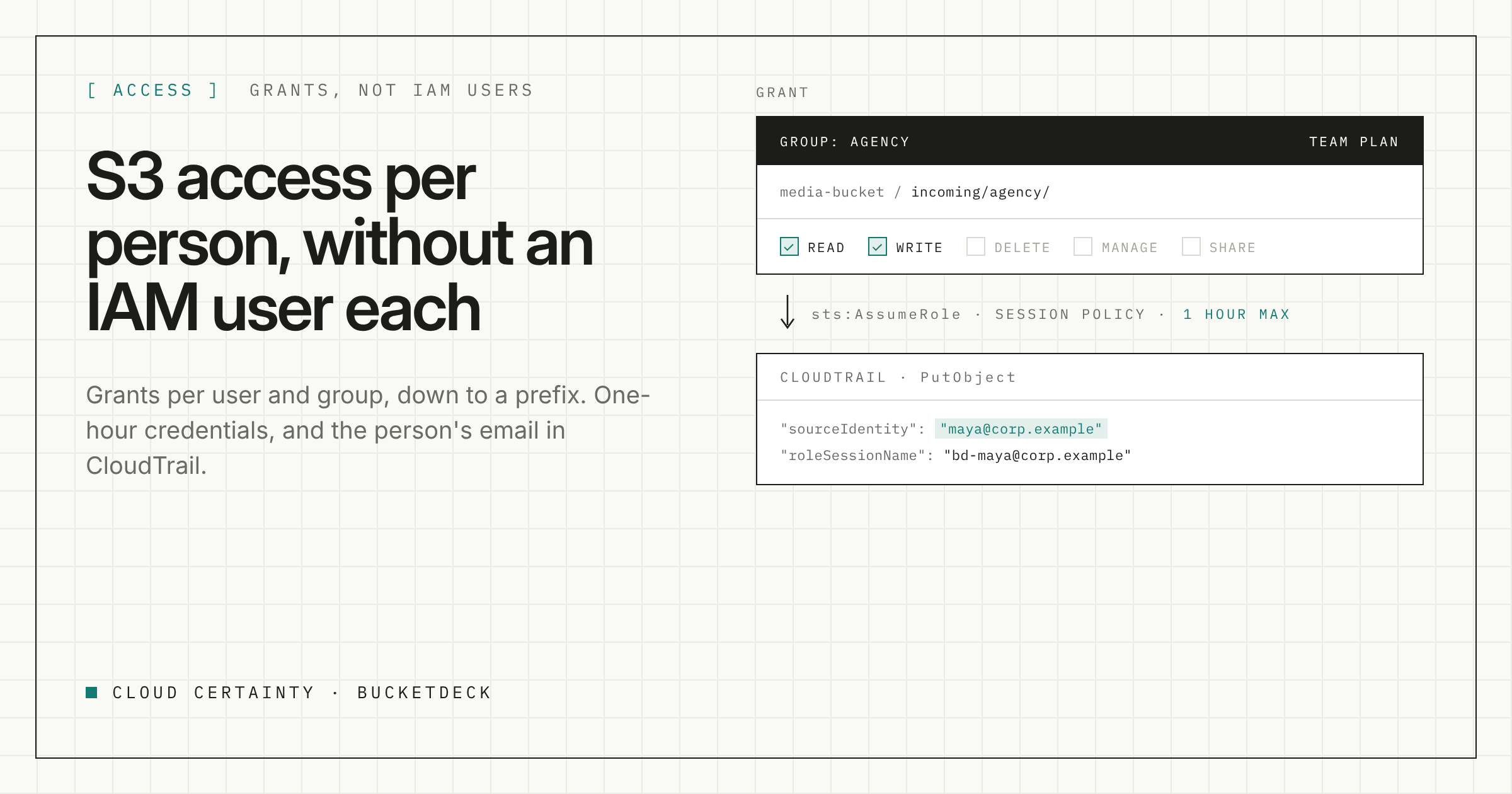
"Can you give Priya read access to the invoices folder in the finance bucket?" sounds like a two-minute job. In practice it means an IAM user or a role, a policy with the right bucket and prefix ARNs, a way for Priya to sign in, and a reminder to take it all away later. Multiply that by every person and every folder and nobody wants to touch it.
There is a second problem. When people share a role, CloudTrail shows the role. If something is deleted, you know which role did it, not which person.
This post shows how BucketDeck handles both.
Grants, not IAM policies
In BucketDeck, admins grant access per user or per group, for a connection and a bucket, using five permissions: read, write, delete, manage and share. Share links themselves are available on Team and above.
On Team and above, a grant can go down to a prefix. So "read on finance/invoices/ in the finance bucket for the accounts-payable group" is one grant, not a policy document.
Grants follow the user's email. BucketDeck only accepts an email your directory asserts or has verified: always for SAML, only when email_verified is true for OIDC, and only for Cognito users an admin created. Nobody can sign up with someone else's address and inherit their grants.
Credentials that last an hour
Grants are not just a portal setting. They are enforced by AWS.
For every request, BucketDeck assumes the IAM role for that account and attaches a session policy that allows only the S3 actions and the bucket and prefix ARNs the user's grants permit. AWS evaluates both the role's policy and the session policy, so the user gets whichever is narrower. The credentials last at most an hour.
If a user's grants are too large to fit in a session policy, the request is refused, never widened.
Two limits keep the whole thing bounded:
- The role is the ceiling. Each account's role has an access level, read-only, read-write or full, and a bucket scope. Grants can narrow what the role allows, never extend it.
- The UI tells the truth. Actions a user cannot take are greyed out, with the reason, so people do not have to guess.
The person in CloudTrail
Each session BucketDeck starts carries two things:
- a source identity set to the user's email, which AWS does not allow to change for the rest of the session, even through role chaining;
- a role session name of
bd-<email>.
So in CloudTrail, in the account that owns the bucket, the assumed-role session shows exactly who was behind the call. You can search for a person's email and see what they did.
Two notes for reviewers:
- Object-level calls need data events. CloudTrail only logs object reads, writes and deletes when S3 data events are turned on for the bucket. Turn them on for the buckets that matter.
- Two connection types work differently. Access-key connections show the IAM user that owns the keys, not the person. Personal AWS access, where people use their own IAM Identity Center or IAM credentials, shows their own identity and is governed by IAM, not by grants. Prefer role connections, and leave access-key connections switched off unless you need them.
Sign-in
On every plan, people sign in with Amazon Cognito, with MFA, or with AWS IAM Identity Center. On Team and above you can use your own SAML or OIDC provider, such as Microsoft Entra ID or Okta. Cognito-only users must use TOTP MFA and passwords of at least 14 characters. For federated users, your identity provider's MFA applies.
An admins role can be given to people or groups. Give it to at least two, so you are never locked out.
A worked example
An agency needs to drop video files into one folder and read back the rendered output from another.
- Create a group called agency in your identity provider, or in Cognito.
- Grant it write on
incoming/agency/and read onrendered/agency/in the media bucket. - Leave out delete and share.
The agency's staff sign in, see two folders, upload with large files sent in parallel parts, and preview the results. Each upload is in BucketDeck's audit log with the person and source IP, and in CloudTrail under their email if data events are on. When the project ends, remove the group's grants and everything stops working at once, apart from share links, which you revoke separately.
Try it
BucketDeck runs in your own AWS account as one CloudFormation stack. Find it on AWS Marketplace (opens in a new tab), or read the security overview (opens in a new tab) for the full detail on credentials and sign-in.