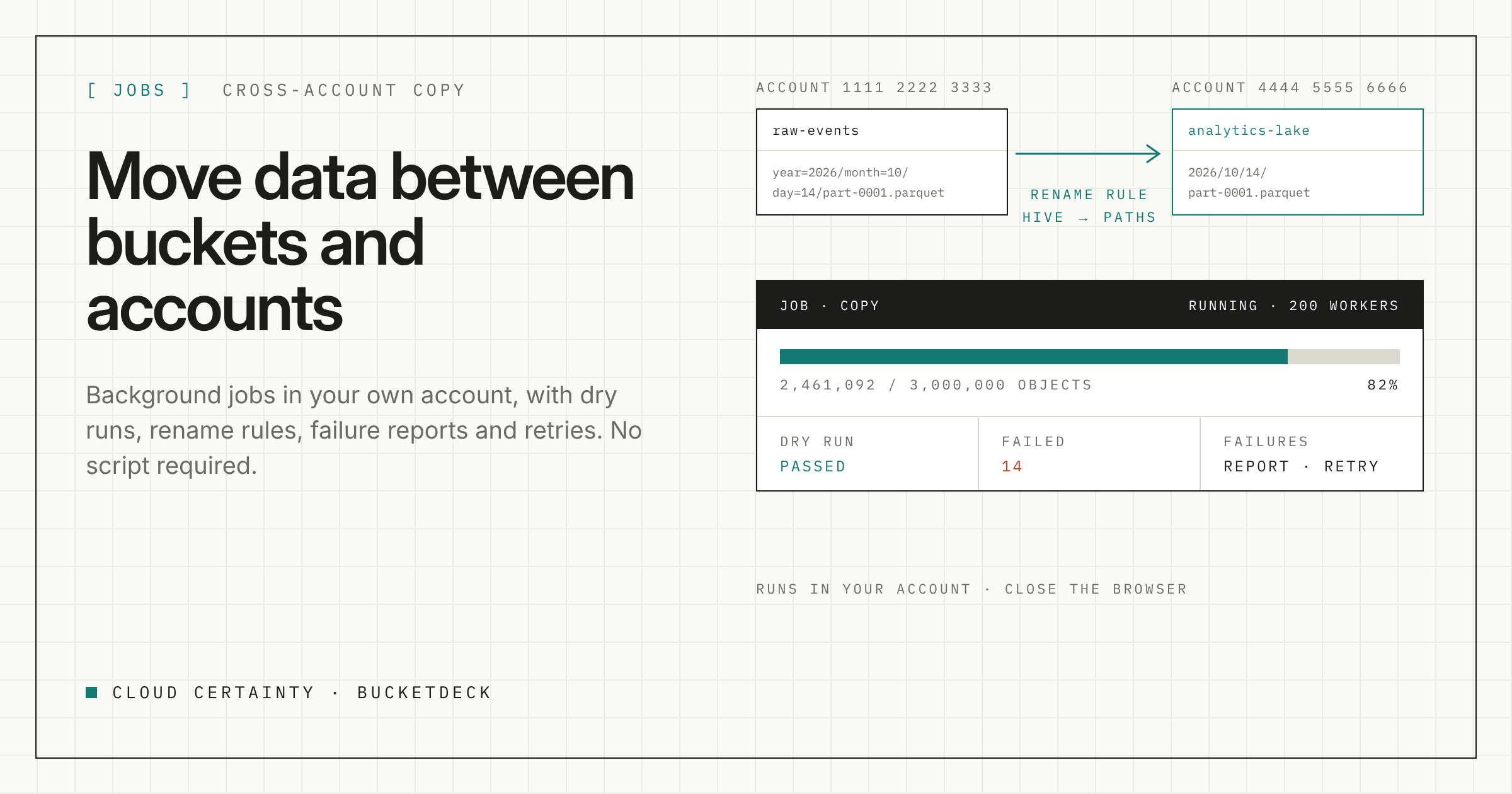
Copying a folder between two buckets is easy until it is large, or the buckets are in different accounts, or the keys need to change on the way. Then it becomes a script: a role that can read one side and write the other, a loop with retries, somewhere to run it for hours, and a way to find out which objects failed.
BucketDeck turns that into a job you start from the browser and can walk away from.
Jobs that run in your account
Choose a source folder and a destination, in the same bucket, another bucket or another connected account, and start a copy or move. The job runs in the background in your AWS account, through Step Functions and a worker Lambda, in parallel. You can close the browser. Job history shows each job's progress and counts.
How the data moves depends on where it is going:
- When the destination can read the source, objects are copied with S3 server-side copy, so the data never leaves S3.
- When the two accounts cannot see each other, the worker streams each object from one side to the other using each account's own role.
Either way, nothing passes through Cloud Certainty.
Dry runs first
Before a large move, run it dry. A dry run shows you what the job would do without changing anything, so you can check it before you commit.
Rename rules
Keys often need to change on the way. On Team and above, rename rules transform each key as it is copied. A common case is turning Hive-style partitions into plain paths:
events/year=2026/month=10/day=14/part-0001.parquet
→ events/2026/10/14/part-0001.parquet
Save the jobs you run often as templates, also on Team and above, so the next run is two clicks.
When objects fail
In any large copy, some objects fail: a permission missing on one prefix, a KMS key the role cannot use, an object deleted halfway through. Download the failures as a report to see what went wrong, or retry them as a new job once you have fixed the cause.
How big a job can be
Each plan sets the size of a single job and how many workers it can run in parallel:
| Plan | Objects per job | Parallel workers |
|---|---|---|
| Starter | 10,000 | 50 |
| Team | Unlimited | 200 |
| Business | Unlimited | 500 |
| Enterprise | Unlimited | 1,000 |
Admins can also set job concurrency in settings, for example to stay clear of request limits on a busy bucket.
Beyond copy and move
On Business and above, the same job engine handles:
- bulk storage-class changes, for example moving an old prefix to a colder class;
- Glacier restores, for a whole prefix rather than one object at a time;
- ZIP downloads, so someone can download a folder as one file.
What it costs to run
The jobs run on Lambda and Step Functions in your account, and S3 bills the usual request and transfer charges. Server-side copies within a Region transfer no data out of S3. Cross-Region copies and streamed copies are billed as data transfer by AWS. Check the S3 pricing page for your Regions before a large cross-Region move.
Who can move what
Jobs run with the same one-hour credentials as everything else, narrowed to the user's grants, so people can only copy from where they can read and to where they can write. Each job is in the audit log, with its start, any cancel or retry, and its result.
Try it
BucketDeck runs in your own AWS account as one serverless CloudFormation stack. Find it on AWS Marketplace (opens in a new tab), or see plans and pricing (opens in a new tab) for the job limits on each plan.