If you run AWS Config, and most organisations on Control Tower do, you already have a detailed record of your estate. Every resource, its configuration, its tags, its compliance with your Config rules and every recorded version of it sits in an S3 bucket as compressed JSON.
The trouble is reading it. The console shows one account and one Region at a time. Advanced queries help, but they mean writing SQL against a schema you have to learn first. So the data that could answer "what do we have, and what changed?" mostly sits there.
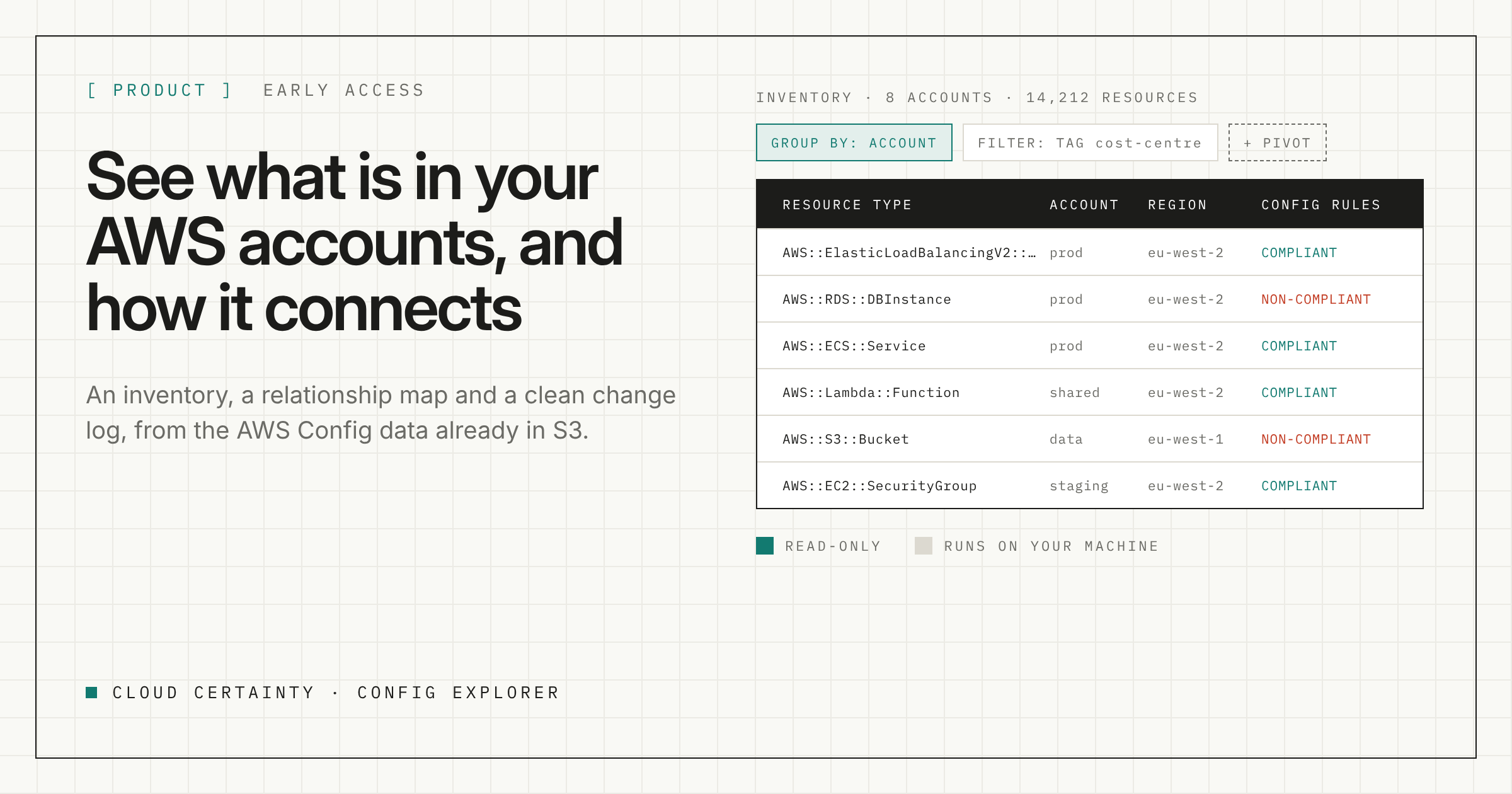
Config Explorer is a desktop app that reads those files and gives you three things: an inventory you can filter and pivot, a map of how resources connect, and a change log that separates real edits from noise.
The data you already have
AWS Config writes three kinds of file to S3:
- Snapshots, which hold the full current state of every recorded resource;
- Configuration history, written when resources change;
- Oversized change notifications, for changes too large to send in one message, which include Config's own diff.
Config Explorer reads them straight from your bucket. Point it at a single account's Config bucket, or at the central bucket your Control Tower landing zone delivers to, and it finds every account and Region under the prefix by itself.
What you get
An inventory you can pivot. Any field can be a filter, a grouping or a column: resource type, account, Region, tags, compliance, configuration values, or related resources. Each filter shows how many resources it would match before you apply it. Group by related VPC and the inventory becomes a network map. Tens of thousands of resources filter and regroup in milliseconds, because everything is on your machine.
Relationships, including the ones Config misses. Open a resource to see its configuration, its relationships and every recorded version, or start a graph from it and expand one hop at a time. Config Explorer shows the relationships AWS Config records, plus links it finds in the resource's configuration and links from shared CloudFormation stacks. Anything it worked out itself is labelled as inferred, so you always know which is which.
A change log you can read. Each recorded version is labelled as a configuration, tag or relationship change. Most versions of a VPC or subnet are network interfaces being created and removed, so separating them out lets the real edits stand out.
Compliance on every resource. Your Config rule results appear alongside everything else. Filter to non-compliant resources and see which rules fail.
Saved views and CSV export. Save the views you use often, and export exactly what is on screen.
How it runs
- On your machine. It is a Windows desktop app with a local database. Nothing is sent to Cloud Certainty.
- Read-only. It lists and reads Config's files. It never writes to your AWS account.
- Your credentials. Use an AWS profile, an SSO session or access keys. Keys are encrypted with the operating system's keychain.
- Priced before it downloads. Every sync shows the file count, the size and a worst-case estimate of the S3 request and transfer charges before anything is fetched. Re-syncs only download files it has not imported yet.
Start with the latest snapshots, which are small and hold the full current state, and add history when you want it.
What it needs
s3:ListBucketands3:GetObjecton the Config prefix;kms:Decryptif the bucket uses a customer managed KMS key.
That is all. No write access to anything.
Early access
Config Explorer is in early access for Windows. Tell us about your AWS setup, how many accounts and whether you use Control Tower, and we will send you a build and help you point it at your Config bucket.
Request early access (opens in a new tab), or email [email protected].