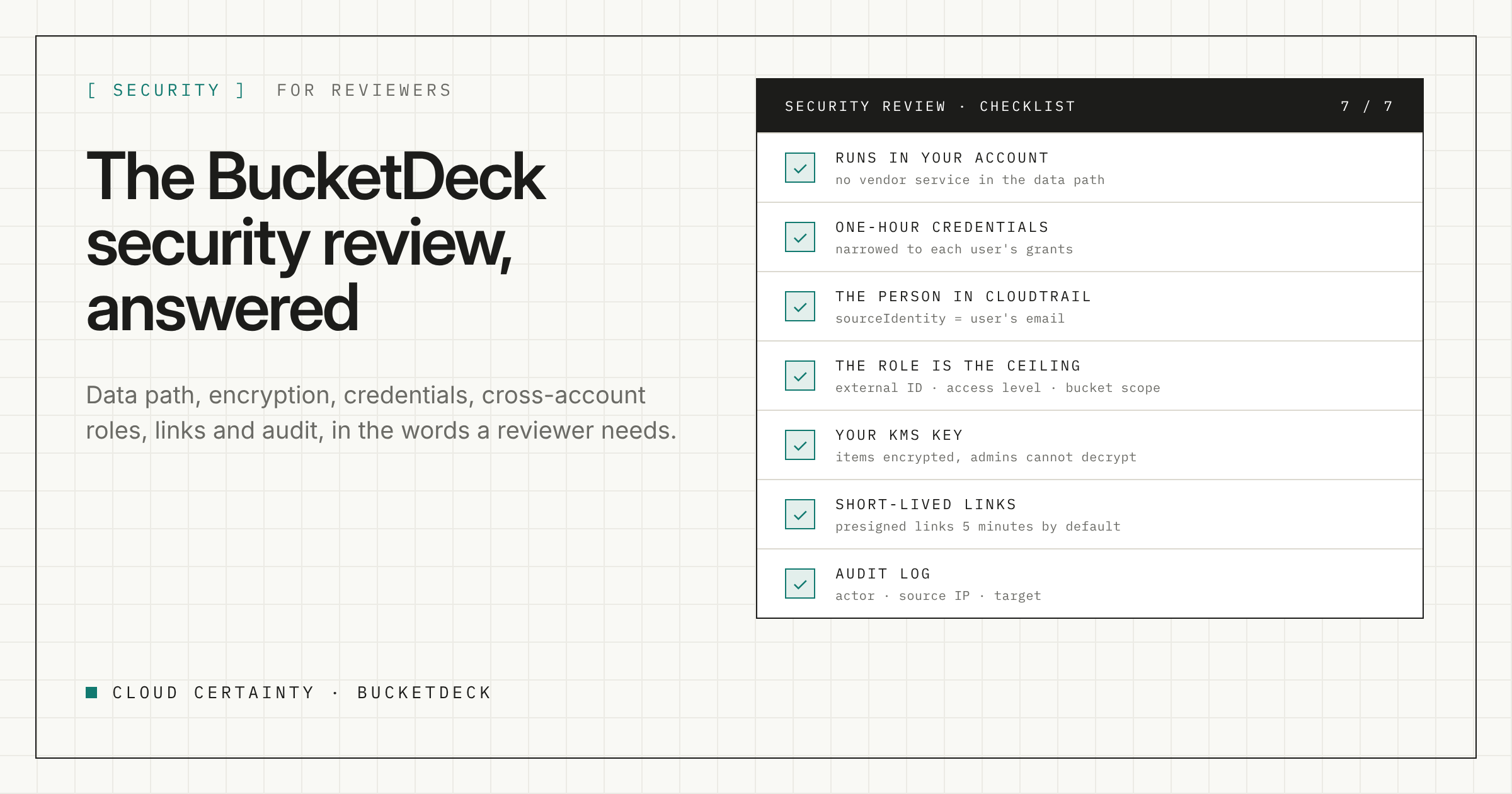
A web portal that can read, write and delete objects in your S3 buckets is exactly the kind of thing a security team should look at closely. This post answers the questions that come up, in the order reviewers usually ask them. The security overview (opens in a new tab) has the full detail.
Where does our data go?
Nowhere outside your account. BucketDeck is one CloudFormation stack in your own AWS account and Region, and Cloud Certainty runs no service in the data path. At runtime the stack does not contact us at all.
- Browsers upload, download and preview directly against S3, using presigned URLs.
- Copies between buckets use S3 server-side copy, or the worker in your account streams the data when two accounts cannot see each other.
- The licence is checked against AWS License Manager in your account. Nothing about your usage or data is sent to us.
At install and upgrade, the stack reads from the AWS Marketplace registry and our public release bucket. That is the only contact, and it is read-only.
What does it store, and how is it encrypted?
Connections, grants, settings, jobs, share links, listings and the audit log are kept in a DynamoDB table in your account. Job reports and search indexes go in a data bucket, and any access keys you choose to store go in Secrets Manager.
- One key you control. Everything is encrypted at rest with a customer managed KMS key, created by the stack with automatic rotation or supplied by you.
- Encrypted item by item. BucketDeck also encrypts each DynamoDB item itself with AES-256-GCM, and replaces emails, connection IDs and bucket names in keys with keyed hashes.
- Even admins cannot read it. The key policy lets only BucketDeck's API and worker roles use the key, with a BucketDeck encryption context. An IAM administrator with
AdministratorAccesscannot decrypt the table's data. - TLS everywhere. BucketDeck's buckets refuse any request that is not over TLS.
How are user credentials issued?
For each request, BucketDeck assumes the connection's IAM role and attaches a session policy limited to the S3 actions and bucket and prefix ARNs that user's grants allow. The credentials last at most an hour. If the grants are too large to express, the request is refused rather than widened.
Can it reach more than we intend?
No more than you allow. Each connected account has an IAM role you deploy, with an access level of read-only, read-write or full, and a bucket scope. That is the ceiling. Grants inside BucketDeck can only narrow it.
The roles trust only your stack's two role ARNs, and require an external ID, which protects against the confused deputy problem. BucketDeck's own roles may only assume roles under the /bucketdeck/ IAM path.
Will we know who did what?
Yes, in two places.
- CloudTrail. Every role session carries the user's email as its source identity, which cannot be changed during the session, and a session name of
bd-<email>. Turn on S3 data events to see object-level calls. - BucketDeck's audit log. Admin changes, connection and grant changes, jobs, share links, uploads, deletes, renames and metadata changes, each with the actor, source IP and target. Retention is 30, 90 or 365 days, or ten years, depending on the plan.
Forward both to your SIEM, along with the API access logs.
How long do links last?
- Presigned links default to five minutes and can never outlive the one-hour credentials that signed them.
- Share links, on Team and above, last up to a maximum an admin sets, seven days by default. Only a hash of the secret is stored. Each time a link is used, BucketDeck checks it, rebuilds the creator's current permissions and redirects to a 60-second presigned URL. Links stop working when they expire, are revoked, or the creator loses read access, and every use is audited.
Share links are bearer tokens, so treat them like any other secret link.
How do people sign in?
With Amazon Cognito or IAM Identity Center on every plan, and your own SAML or OIDC provider on Team and above. Sign-in uses the authorisation code flow with PKCE. An email is only trusted when the user cannot choose it, and Cognito-only users must use TOTP MFA and a password of at least 14 characters.
The API requires TLS 1.2 or later and a valid token on every route except share links, and is throttled. On Business and above, an IP allowlist is checked on every call.
What is left to us?
The product cannot protect against everything, and the security overview says so. The main points for your side:
- Lock down the key and the table. Whoever can change the KMS key policy or the table's resource policy could undo these controls. Restrict both with an SCP or a permissions boundary, and alert on changes.
- Keep the roles narrow. Use the lowest access level and the narrowest bucket scope that works.
- Prefer role connections. Access-key connections bypass session policies and source identity. Leave them switched off unless you need them, and rotate any keys you store.
- Protect the admins. Enforce MFA at your identity provider and give the admins role to a second person or group.
- Offboard properly. Share links keep working after someone leaves your identity provider, until you remove their grants or revoke the links.
- Do not lose the key. If the KMS key is deleted, the data cannot be read and BucketDeck will not start.
A malicious AWS account administrator, your identity provider's own security and users' devices are outside what BucketDeck can control.
Next steps
Read the full security overview (opens in a new tab), or send your questionnaire to [email protected] and we will answer it.